

This is how you remove eduroam from your Linux device:
1
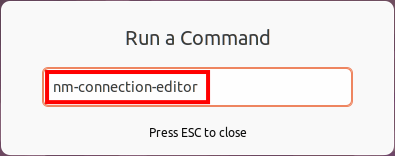
Press Alt + F2, type
nm-connection-editor
into the text field and hit the Enter key.
Notice
If pressing Alt + F2 doesn’t open an input window, you can also enter the command in a terminal instead (usually by pressing Ctrl + Alt + T).
If pressing Alt + F2 doesn’t open an input window, you can also enter the command in a terminal instead (usually by pressing Ctrl + Alt + T).
2
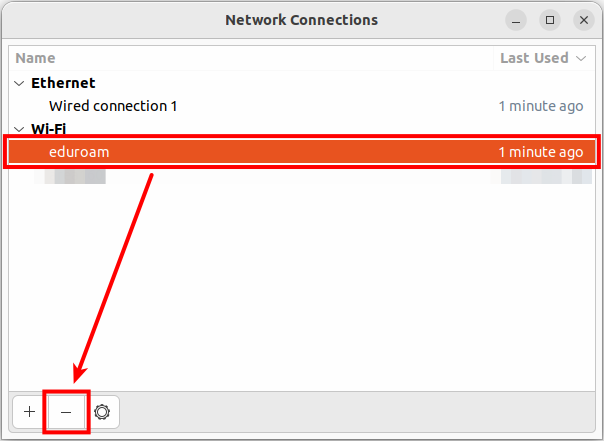
Within the Wi-Fi section, select the eduroam network and click the Minus-icon (-).
3
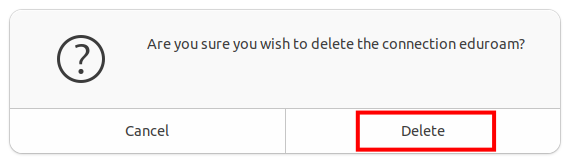
Now, confirm the action by clicking Delete.
4
That's it! You have successfully removed the eduroam network from your device.
If you want to connect to it again, please follow our instructions for setup (click here)!
Problems with these instructions? Let us help you! Contact us fast and easy through our contact form!