

How to change the password of your Uni Bayreuth account
1
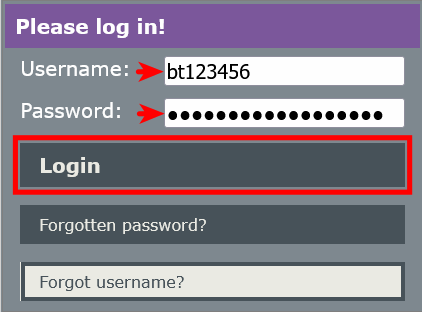
Go to https://portal.its.uni-bayreuth.de and log in using your university username and the associated password.
2
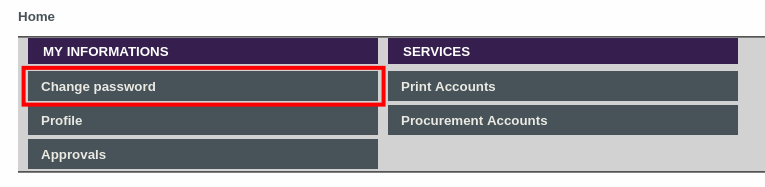
Click Change password.
3
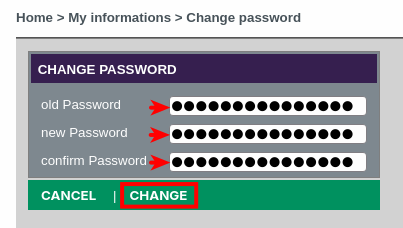
First, enter your current password in the top field and your new password in the two fields below. Then click Change.
4
Done! Please note that it takes about 30 minutes for the new password to work with all services!
Problems with these instructions? Let us help you! Contact us fast and easy through our contact form!