

This is how you remove eduroam from your Windows 10 device:
1
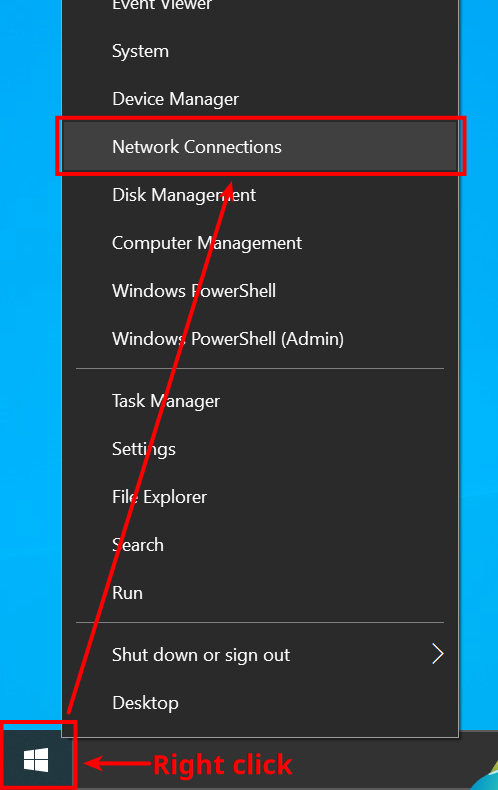
Right click the Windows Logo down left and then Network Connections.
2
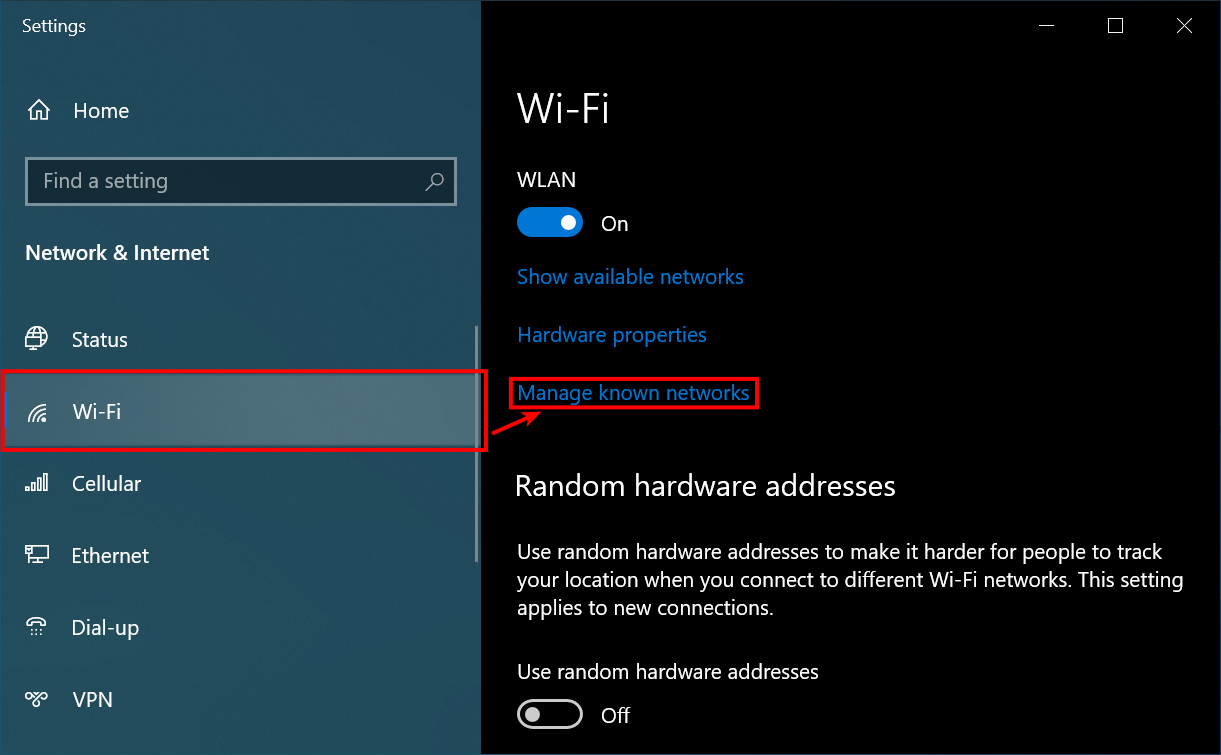
In the left area, click Wi-Fi and then Manage known networks to the right of it.
3
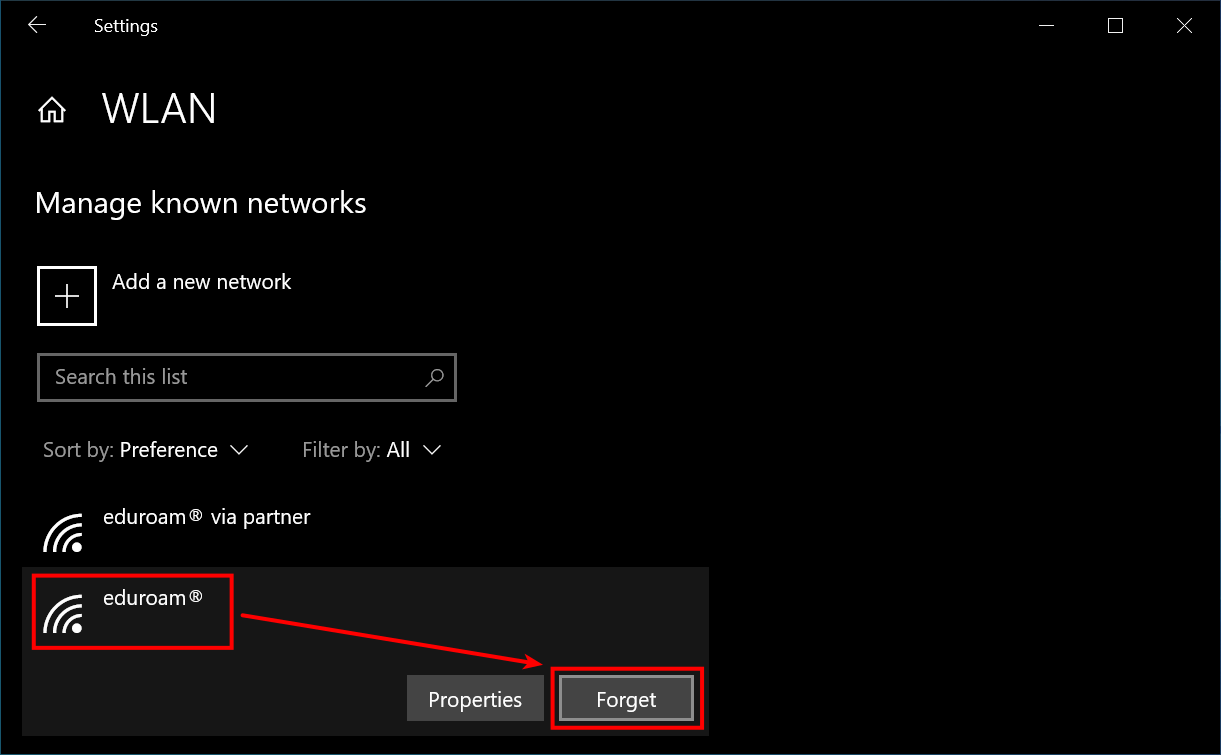
Search for eduroam networks (e.g. also eduroam via partner) in the list. Remove them by selecting them and clicking Forget.
When you have removed all eduroam networks, just close the window.
4
That's it! You have successfully removed the eduroam network from your device.
If you want to connect to it again, please follow our instructions for setup (click here)!
Problems with these instructions? Let us help you! Contact us fast and easy through our contact form!