

This is how you remove eduroam from your ChromeOS device:
1
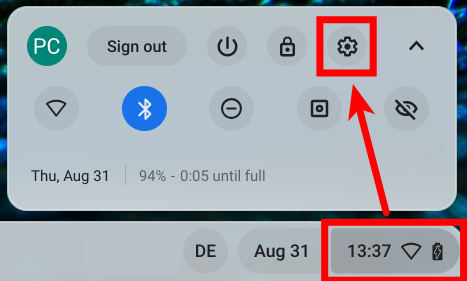
Click on the clock down right and then the gear icon.
2
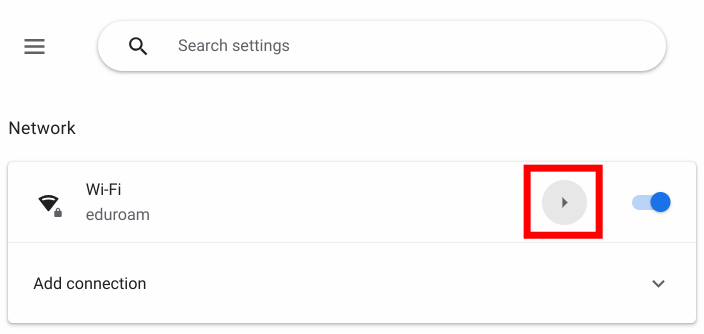
In the now appearing settings window, within the Network section, click the arrow to the right of Wi-Fi.
3
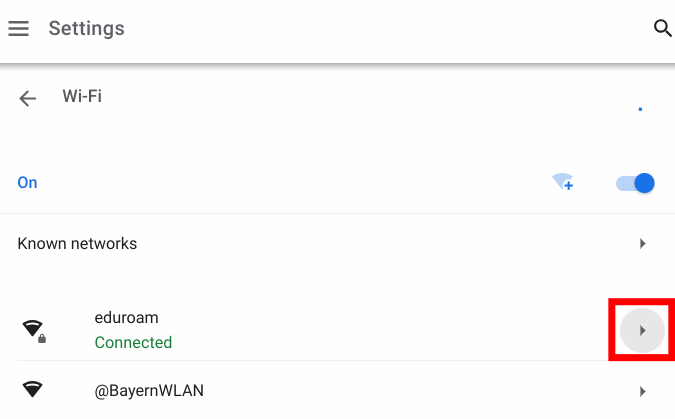
In the Wi-Fi network list, click the arrow to the right of eduroam.
4
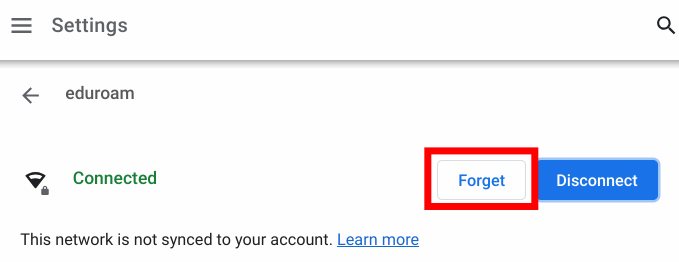
Now click Forget.
5
That's it! You have successfully removed the eduroam network from your device.
If you want to connect to it again, please follow our instructions for setup (click here)!
Problems with these instructions? Let us help you! Contact us fast and easy through our contact form!