

Unfortunately, menu navigation and labels vary between different Android versions - sometimes also between manufacturers. On your device, things might be called a bit differently or found at a different place.
This tutorial assumes that you are in a place where the eduroam Wi-Fi network is in reach.
This is how you remove eduroam from your Android device:
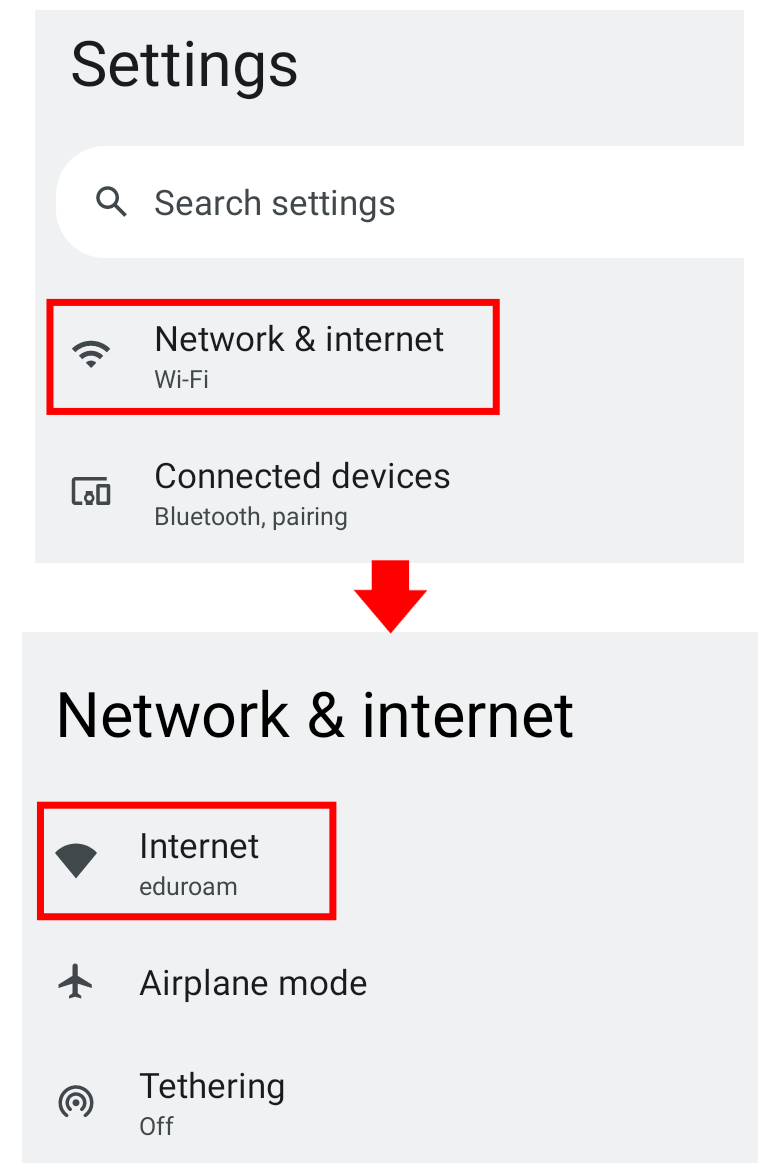
In order to remove eduroam from your Android device, open the Settings App and choose Wi-Fi (on some devices it is called Internet or Network).
The following screenshots are showing the way on a tablet with Android 12 as an example.
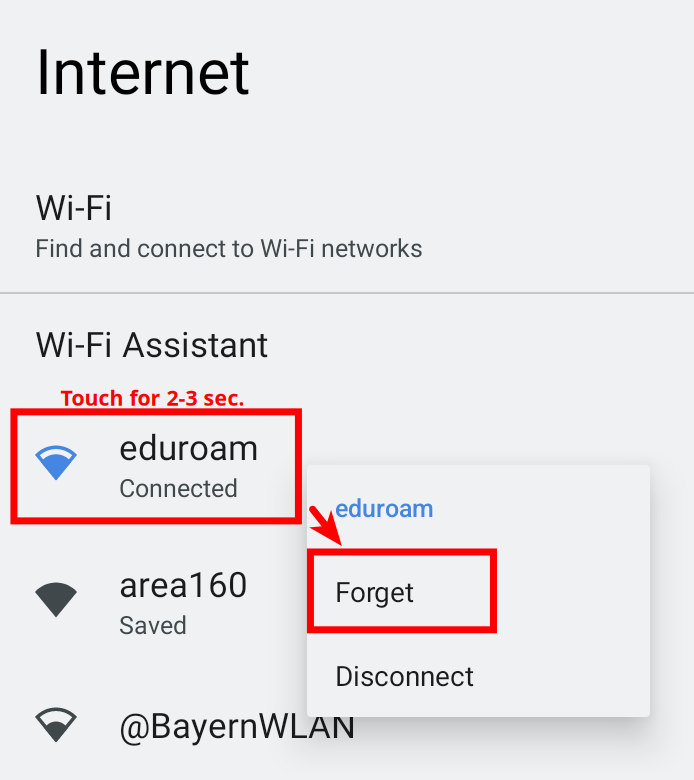
In the list, search for the eduroam network and touch if with your finger for about 2-3 seconds.
Tap on Forget in the now appearing menu.
If no menu shows up when you touch it for a few seconds, you are probably in the wrong menu. Usually it does not work e.g. in the Wi-Fi menu that appears when you swipe down from the top of your screen.
The option Disconnect won't delete the network, it only temporarily ends the connection to it.
That's it! You have successfully removed the eduroam network from your device.
If you want to connect to it again, please follow our instructions for setup (click here)!