

This is how you set up your mail account on your Linux device (using Ubuntu 20.04 as an example):
Install the packages evolution und evolution-ews via the graphical package management or with the command
sudo apt update && sudo apt install evolution evolution-ews
Start the just installed application Evolution. If a welome dialog shows up, close it with Cancel.
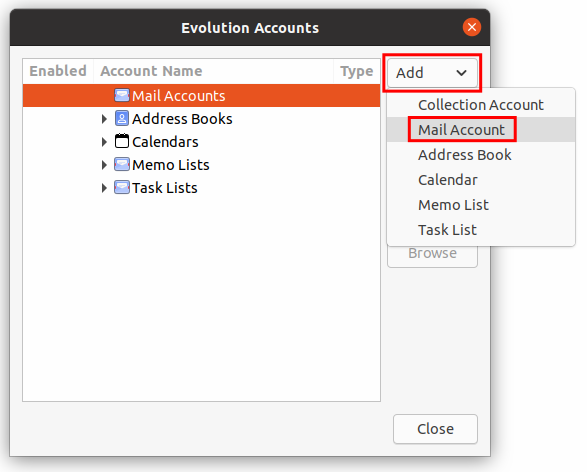
Click on Edit -> Accounts.
Click Add -> Mail Account.
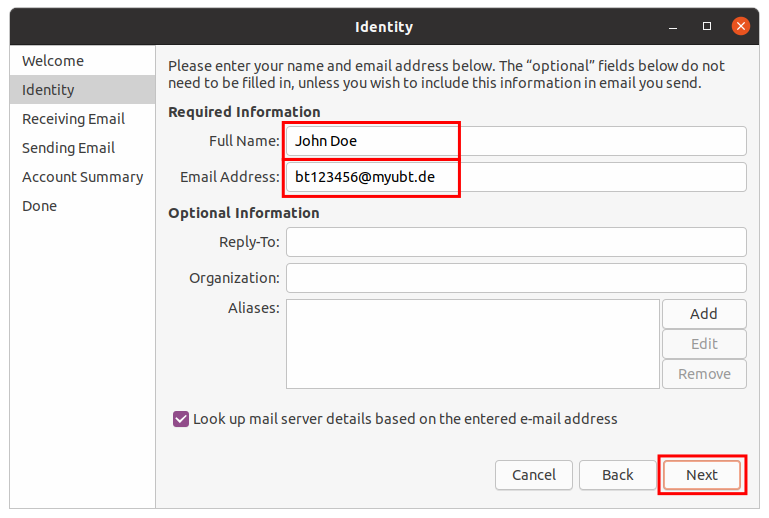
Click Next. Enter your name and your Uni username + @myubt.de (e.g. bt123456@myubt.de).
Don't use Uni username + @myubt.de as your mail address since it is only the login name!
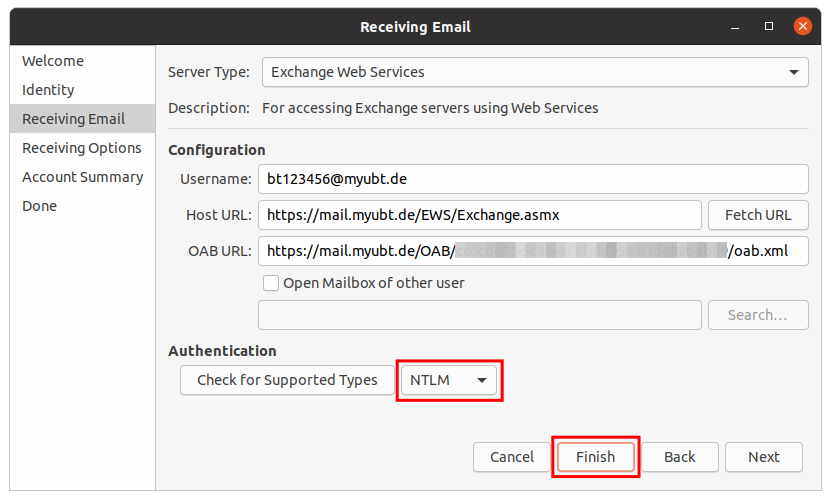
Click Next and choose Exchange Web Services as Server Type. You username should still be there from the previous step.
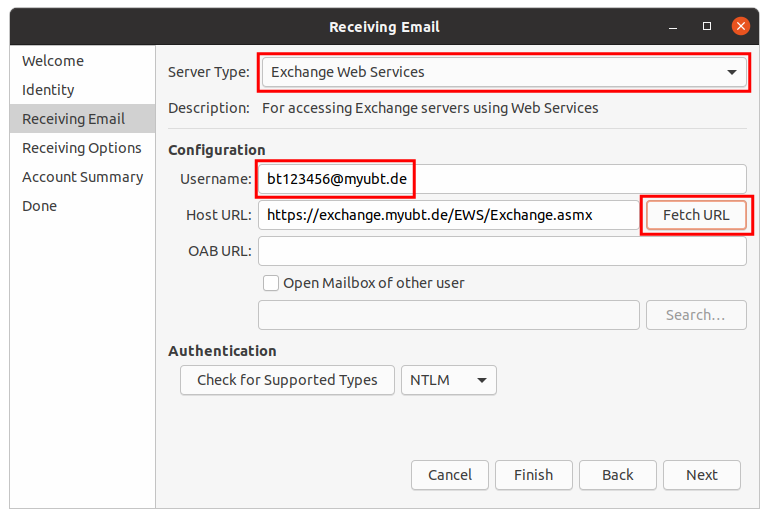
Now click Fetch URL and enter your Uni password in the dialog.
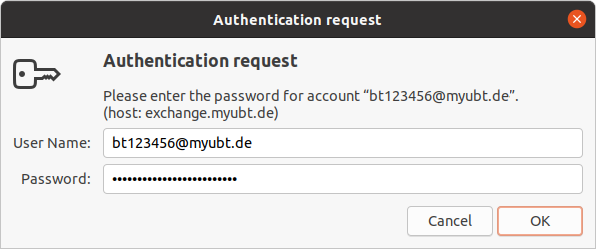
The OAB URL should have automatically been filled.
Choose NTLM as Authentication and click Finish.
That's it! Your mail account is now available on your Linux device!