

This is how you set up your mail account on your Windows device:
1
Open Microsoft Outlook (If you haven't installed it yet you can find instructions here.
Attention!
If you don't have Outlook / your Office package from the Uni Bayreuth, please follow steps 1-5 from the linked instructions anyway. This will provide you with a Microsoft Account for your Uni Bayreuth credentials.
Without that, the mail setup will most likely fail.
If you don't have Outlook / your Office package from the Uni Bayreuth, please follow steps 1-5 from the linked instructions anyway. This will provide you with a Microsoft Account for your Uni Bayreuth credentials.
Without that, the mail setup will most likely fail.
2
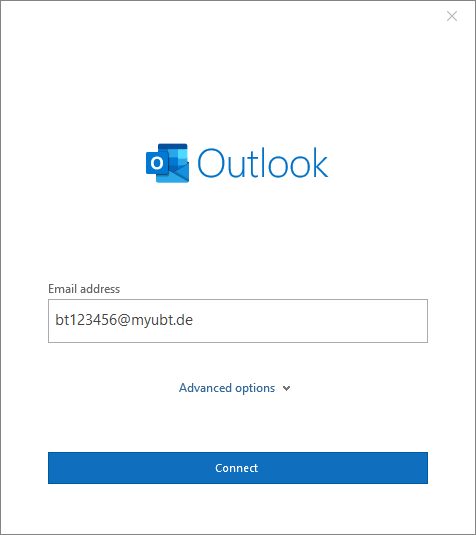
Enter your Uni username + @myubt.de (e.g. bt123456@myubt.de) as Email / username and click Connect.
Notice
Don't use Uni username + @myubt.de as your mail address since it is only the login name!
Don't use Uni username + @myubt.de as your mail address since it is only the login name!
3
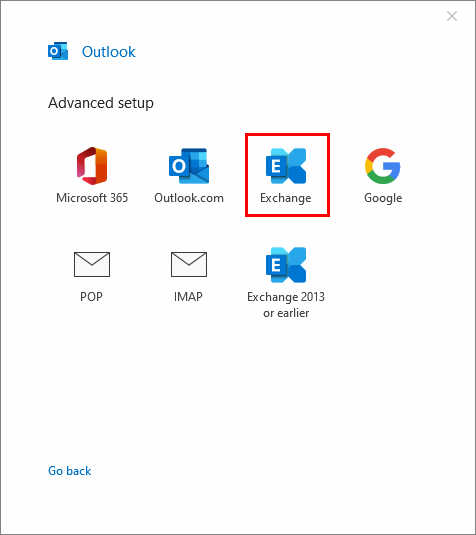
In the next step click Exchange.
4
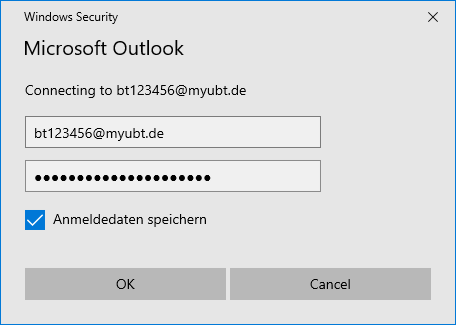
Enter your Uni password and click OK.
5
That's it! Your mail account is now available in Outlook!
Problems with these instructions? Let us help you! Contact us fast and easy through our contact form!