

This is how you setup FollowMe-Printing on your Windows device:
Download the software QPilot for Windows and install it.
After the installation a new printer called Unidrucker Bayreuth will be added.
This printer can now be used in the printing dialog of every application.
Sending print jobs is only possbile from within the Uni Bayreuth network (e.g. eduroam)!
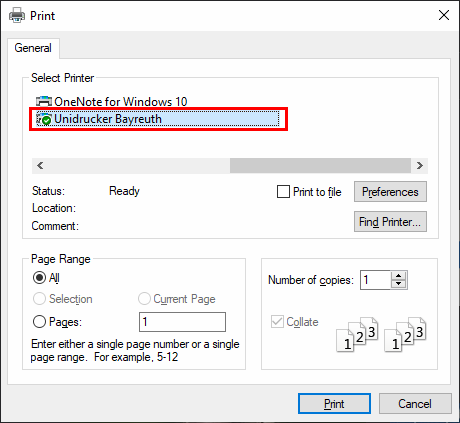
After applying all the desired settings (like A4 as page size, 2-sided printing..) click on Print.
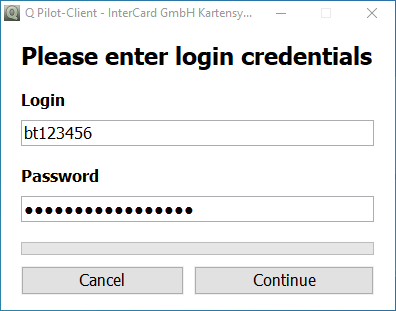
A new window asking for your credentials will appear. Enter your Uni Bayreuth username (without adding anything) and the corresponding password. Click Continue.
You have to use the username of the Campus Card you want to use for printing!
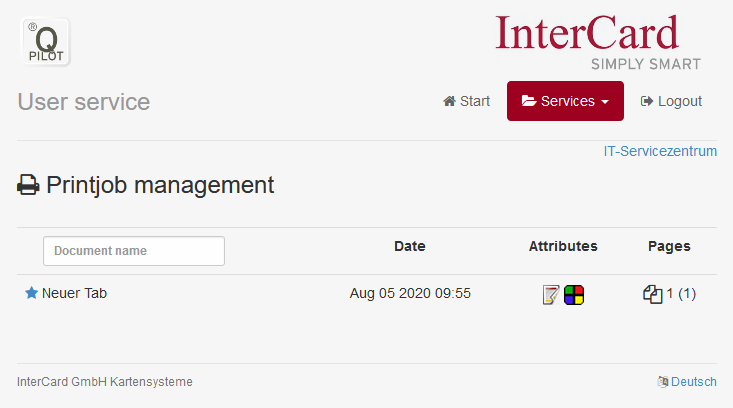
Optional: You can login at https://print.uni-bayreuth.de and click on Printjobs to check if your print job was added correctly.
Go to one of the print stations (an overview can be found here under Print and scanstations) and insert your Campus Card into the terminal.
Now you can print your document(s).